MRE Acceleration Meter1.3
Publisher Description
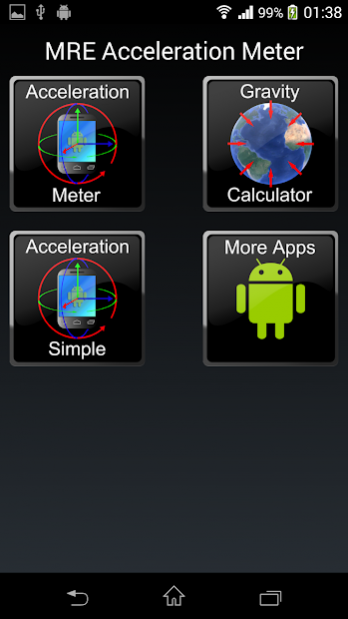
A simple yet powerful scientific tool for measuring acceleration, calculating gravity and more.
Measure acceleration and gravity even if your accelerometer doesn't support it.
Display the data on graphs and monitor the acceleration, gravity and linear acceleration on 3 axes.
Both Pro and Free have:
-->Gravity Calculation
-->Acceleration in m/s^2, ft/s^2 and G
-->XYZ, max-min and graphs
-->GPS gravity
-->Accelerometer enhancement
This app gives you the ability to calculate the gravity precisely on your location using GPS and the WGS84 system. Dont just use the 9.81m/s2 or 32.2ft/s2 approximation but get the exact ellipsoid model value on your location.
Also if your sensor is not advanced this app allows you to enhance it using 6 different methods of calculating gravity.
This app requires an accelerometer (acceleration sensor). The app doesnt collect any data from the gps.
About MRE Acceleration Meter
The company that develops MRE Acceleration Meter is MRE Programming. The latest version released by its developer is 1.3.
To install MRE Acceleration Meter on your Android device, just click the green Continue To App button above to start the installation process. The app is listed on our website since 2018-10-21 and was downloaded 16 times. We have already checked if the download link is safe, however for your own protection we recommend that you scan the downloaded app with your antivirus. Your antivirus may detect the MRE Acceleration Meter as malware as malware if the download link to com.mreprogramming.mreaccelerationmeter is broken.
How to install MRE Acceleration Meter on your Android device:
- Click on the Continue To App button on our website. This will redirect you to Google Play.
- Once the MRE Acceleration Meter is shown in the Google Play listing of your Android device, you can start its download and installation. Tap on the Install button located below the search bar and to the right of the app icon.
- A pop-up window with the permissions required by MRE Acceleration Meter will be shown. Click on Accept to continue the process.
- MRE Acceleration Meter will be downloaded onto your device, displaying a progress. Once the download completes, the installation will start and you'll get a notification after the installation is finished.
Program Details
System requirements
Download information
Pricing
Version History
version 1.3
posted on 2018-10-21
Bug Fixes
